How to Stop Google & “Google” Calls About Your Business
🚨 Immediate Answer (TL;DR — Do These First)
If you’re getting nonstop calls about “verifying” or “suspension” of your Google Business Profile:
Turn off Google’s automated calls & texts inside your Business Profile
Accept that most remaining calls are NOT Google — they’re scammers
Use phone-level spam protection + call screening
Optionally block unknown callers (nuclear but effective)
That’s the real order of impact.
A️. Stop Google’s Legitimate Automated Calls & Texts
(This is the REAL Google toggle that actually matters)
This controls Google’s own automated outreach — not scammers.
Do this inside your Google Business Profile:
Go to:
👉 https://business.google.com and click to view your profile.
Steps (desktop or mobile browser):
Select your business, and view profile from the front end
Click More (three vertical dots)
Click Business Profile settings
Go to Advanced settings
Find Google automated calls and text messages
Turn OFF these automated call and text features:
Keep your profile up to date
- Bookings and Inquires from Customers (this one even shocked me just now! Because that means they can intercept calls and texts from customers essentially googles “robot” will act as your secretary for these new calls coming to your Google Business Profile!)
Post to your profile on your behalf
Any other automated options you don’t want
Important note (from Google):
Even after opting out, you may still receive occasional manual confirmation calls. These are rare and non-threatening.
✅ This stops Google’s legit automated voice/text activity AND their ability to interject their robot receptionist.
B️. Business Profile Notification Settings
This does not stop scam calls.
It only reduces Google’s internal reminder noise.
If you still want to do it:
In your Business Profile
Go to Settings → Notifications
Turn off:
Tips
Recommendations
Product updates
📝 Reality check:
If you’re getting “verify your listing” robocalls, this setting is not the cause. This is optional cleanup, not a fix.
C️. The Brutal Truth: Most of These Calls Are NOT Google
If a call says things like:
“Your listing is suspended”
“Verify your Google business now”
“Press 1 to avoid removal”
👉 That is a scam.
These callers:
Rotate phone numbers constantly
Spoof local business numbers (even ones you recognize)
Use automated robocalls
Pretend to be Google or “Google partners”
Google does not:
Threaten suspension by phone
Demand action via robocall
Ask for payment or verification codes over the phone
If it’s real, it appears inside your Business Profile dashboard — not a scary call.
D️o What Actually Works Against Scammers (Phone-Level Fix)
Since scammers rotate numbers, account settings won’t stop them.
Your best ROI is phone-side protection.
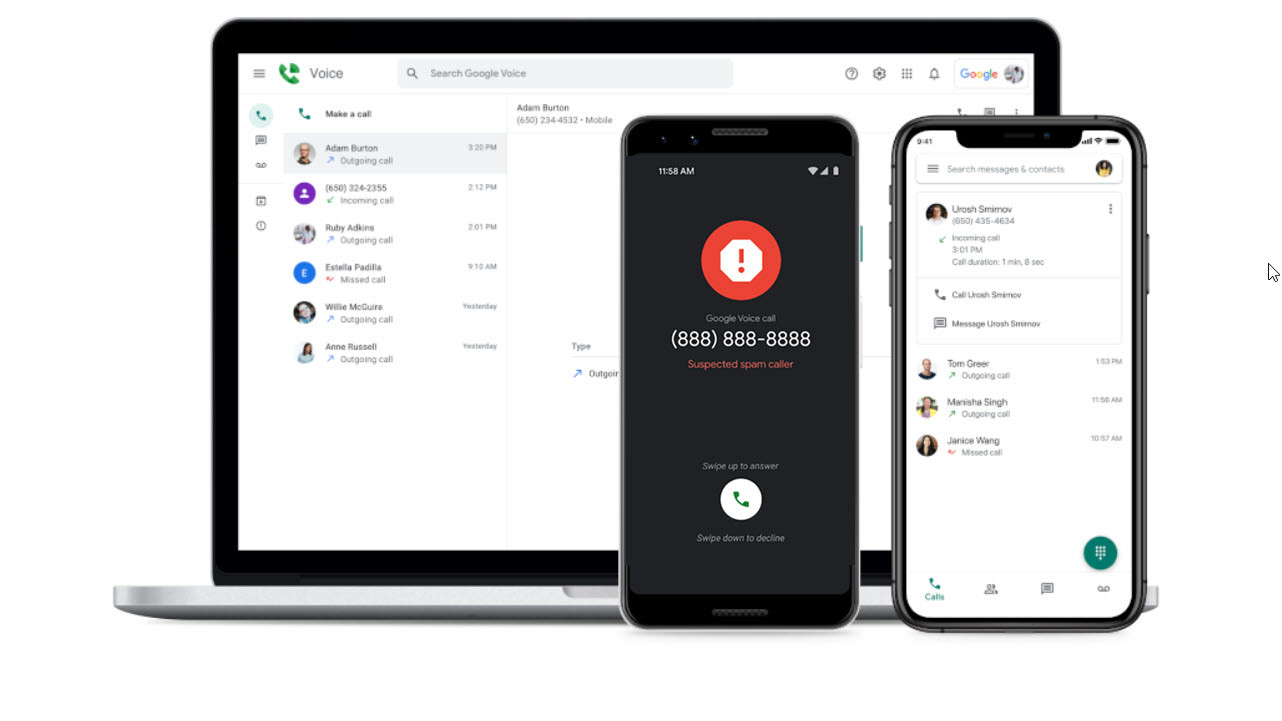
📱 Android (Google Phone App)
Open Phone app
Go to Settings
Tap Caller ID & spam
Turn ON:
Filter spam calls
Call screening (if available)
Nuclear option (use wisely):
Go to Settings → Blocked numbers
Turn ON:
Block calls from unknown numbers
This will:
Silence robocalls
Stop spoofed numbers
Send unknown callers straight to voicemail
⚠️ Downside: unknown legitimate callers won’t ring.
📱 Samsung Phone App
Enable Caller ID and spam protection
Set spam calls to block automatically
Use Call Screen where supported
📱 iPhone
Settings → Phone
Turn on:
Silence Unknown Callers
Call Blocking & Identification
Use a third-party spam filter if needed
Bottom Line
✅ Turn off Google’s automated calls inside Business Profile
❌ You cannot “opt out” of scammers
📱 Spam protection + call screening is the real solution
☢️ Blocking unknown callers works — but it’s nuclear
That’s the truth most SEO blogs won’t tell you.
Discover more from Rhonda Cosgriff Web Designs
Subscribe to get the latest posts sent to your email.